A client contacted our I.T. Support department claiming “Help I Have Been Hacked”.
On discussion with our client we discovered that she was seeing Windows 11 Notifications, which in the main were advertising anti-virus programs all of which stated that a purchase would prevent hackers having access to the machine.
An example of a notification message is displayed below:-
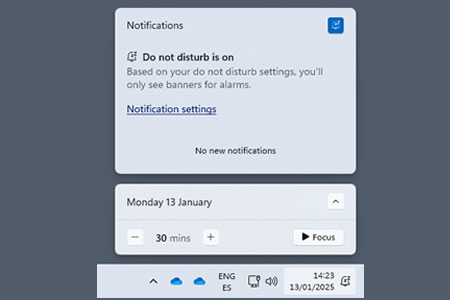
There is a quick and easy solution to stop these annoying and sometimes worrying messages as follows:-
Click on the link Notification Settings as displayed in the above image, the following page will be loaded.-
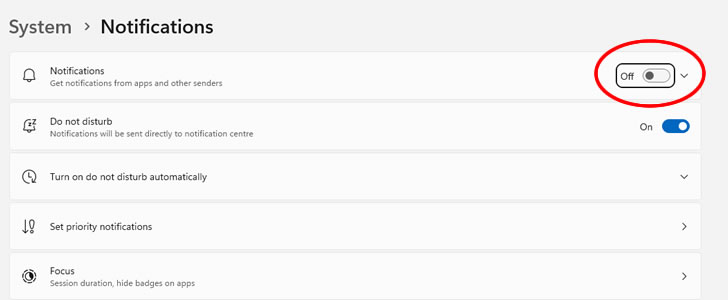
Set the Notifications selector to Off (circled in red) and you should not receive any further notifications.
Don´t forget RND Support is always available to help you with your issues small or large. To discuss your issues you can take advantage of our free of charge 30 minute consultation by clicking on the following link RND Support